
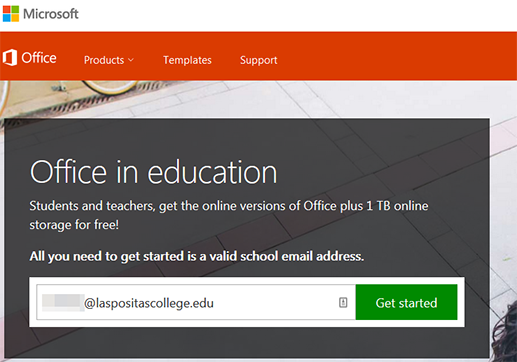
Visit the Office 365 for Education registration page .
Enter your student email address to begin the registration process. Your student email will end with @zonemail.clpccd.edu
Then click on "Get Started".
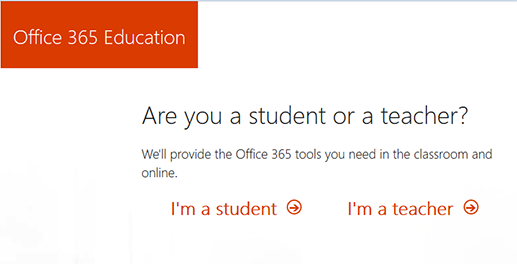
Next: You will be asked "Are you a student or a teacher?"
Select "I'm a student".
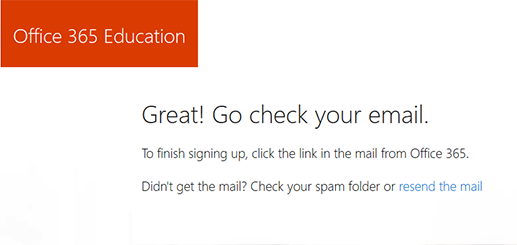
Once you have selected "I'm a student", a message will inform you to check your student email for a link to complete the Office 365 registration process.
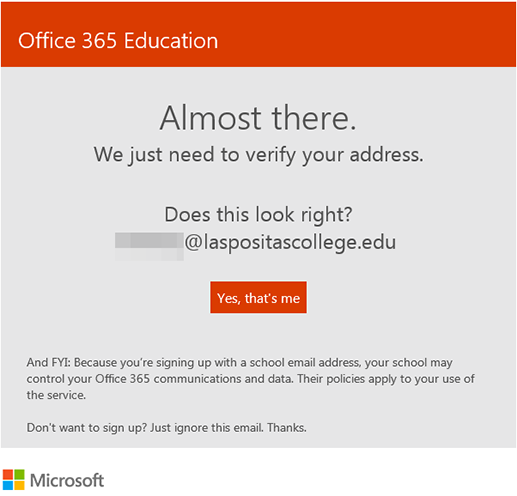
Log into your student email account and verify your email address.
Click the "Yes, that's me" button in the email.
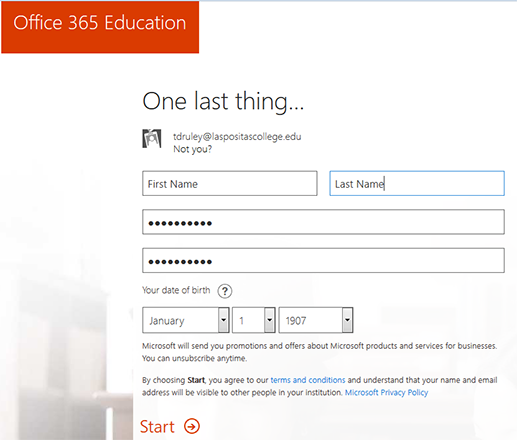
After clicking the "Yes, that's me" button found in your email, you will be taking to a registration form.
Fill in your first and last name.
Create your Office 365 account password.
Enter your date of birth.
Then, click the "Start" link at the bottom of the registration form.
The Office 365 registration process is now complete.
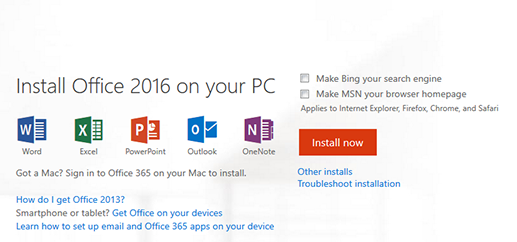
Once you have completed the Office 365 registration process you can then log into your Office 365 home page.
Click "Install now" to begin the installation process.


